

Cost & efficiency
Cost Explorer
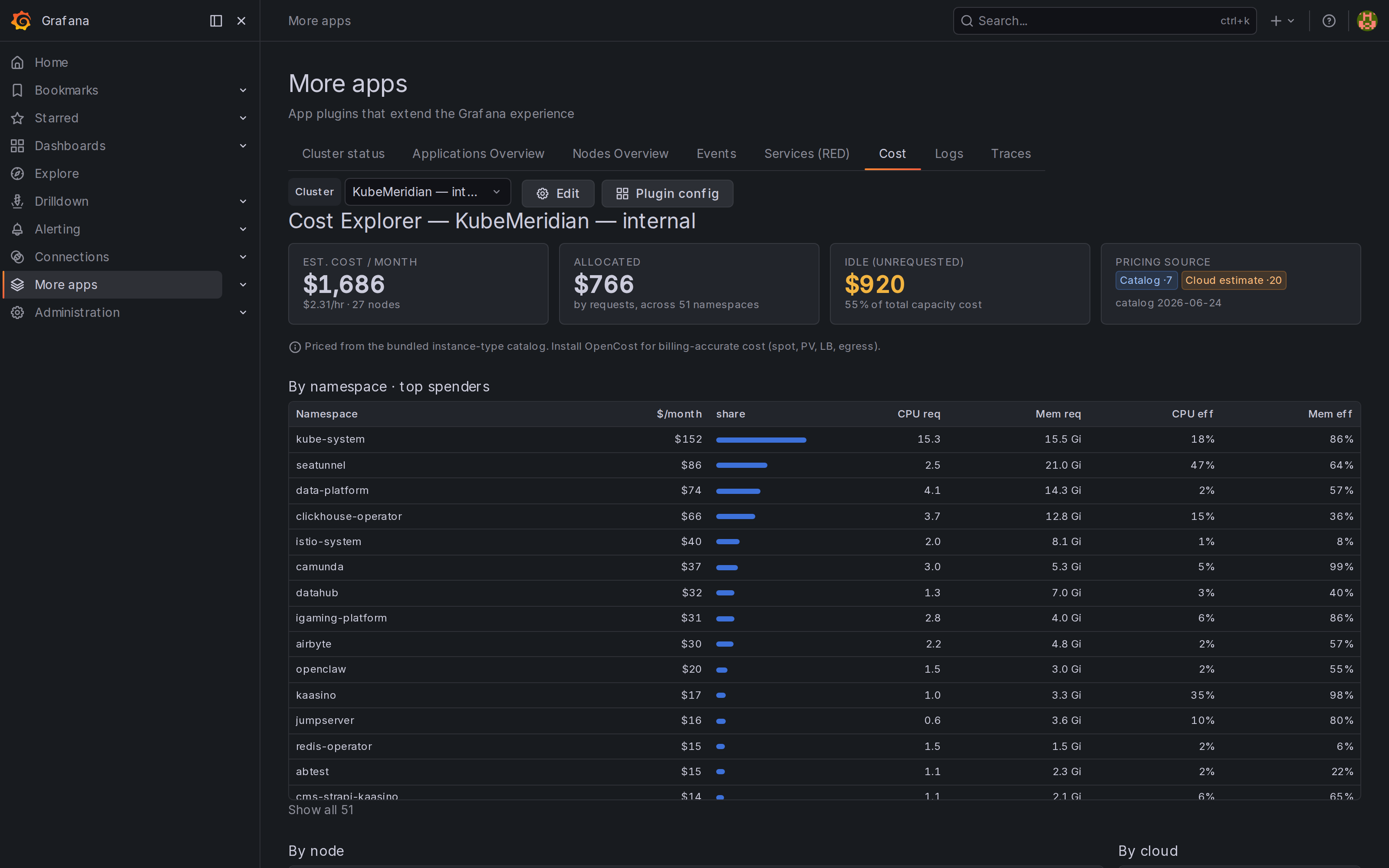
The Cost tab is a multi-cloud cost explorer. It computes Kubernetes cost client-side from your metrics datasource, with a 4-tier pricing engine that uses the best source available — and shows which tier priced each node, so the numbers stay honest:
| Tier | Source | When |
|---|---|---|
| 0 — OpenCost | node_total_hourly_cost … | OpenCost installed (billing-accurate: spot, PV, LB, egress) |
| 1 — Catalog | bundled on-demand prices for AWS / GCP / Azure / DigitalOcean | node instance-type label is exposed |
| 2 — Cloud estimate | per-cloud flat $/vCPU + $/GiB | cloud known (from provider_id) but instance type isn't |
| 3 — Flat estimate | global flat rate | on-prem / unknown |
It surfaces estimated monthly + hourly cost, allocated vs idle (unrequested capacity), and breakdowns by namespace (top spenders + CPU/mem efficiency), by node (cloud, type, tier, $/hr·$/mo) and by cloud.
TIP
For catalog (Tier 1) pricing, expose the instance-type/region labels on kube-state-metrics: --metric-labels-allowlist=nodes=[node.kubernetes.io/instance-type,topology.kubernetes.io/region,topology.kubernetes.io/zone]. For billing-accurate cost, install OpenCost (Tier 0).
Cost & Efficiency dashboard
The bundled Cost & Efficiency dashboard gives you FinOps numbers in pure PromQL (portable) — it works with kube-state-metrics alone, and gets more precise with OpenCost.
Two modes
- Estimated (default): cluster- and namespace-level monthly cost computed from resource requests × a configurable price list (
$/vCPU-hour,$/GiB-hour, set per cluster). Works everywhere. - OpenCost: toggle OpenCost present in the cluster config to light up the real node-cost panel (
node_total_hourly_cost). Empty if the exporter isn't installed.
Right-sizing
- Efficiency gauges — usage as a share of requests (CPU & memory).
- Waste — requested minus used, by namespace.
- Over-provisioned — containers using < 50% of their CPU request.
- No request set — containers consuming CPU with no request (scheduling risk).
- Limit : request ratio — high ratios flag burst/eviction risk.
Use these to tighten requests/limits and cut spend without guesswork.